
 1 month ago
79
1 month ago
79
If you already hold crypto, you don’t need to cash out into a separate brokerage account to get exposure to stocks or gold. On Bitget, a single USDT balance can fund crypto, gold, and stock positions from one account.
This one-account model — crypto, tokenized stocks, and gold together — is what Bitget calls a Universal Exchange (UEX)
This guide walks through exactly how that works, step by step, so you know what you’re trading, what to watch out for, and how to get started.
What You’re Actually Trading
Before you open a position, it’s worth understanding what a UEX actually offers versus a traditional brokerage account. Bitget’s Universal Exchange model gives you one account for crypto, tokenized stocks, and gold — but the products behind that convenience behave differently, and it doesn’t mean the same thing as opening a traditional brokerage account
- Stock tokens give you tokenized exposure to a share’s price. Some of these fall under Bitget’s “Reality” product line, which is positioned as licensed and reportedly backed 1:1 by the underlying shares — worth confirming the current scope on Bitget’s own pages before you trade, since product details can change.
- Stock perps are perpetual futures contracts on stock indices. They’re leveraged, which means both gains and losses are magnified relative to the size of your position.
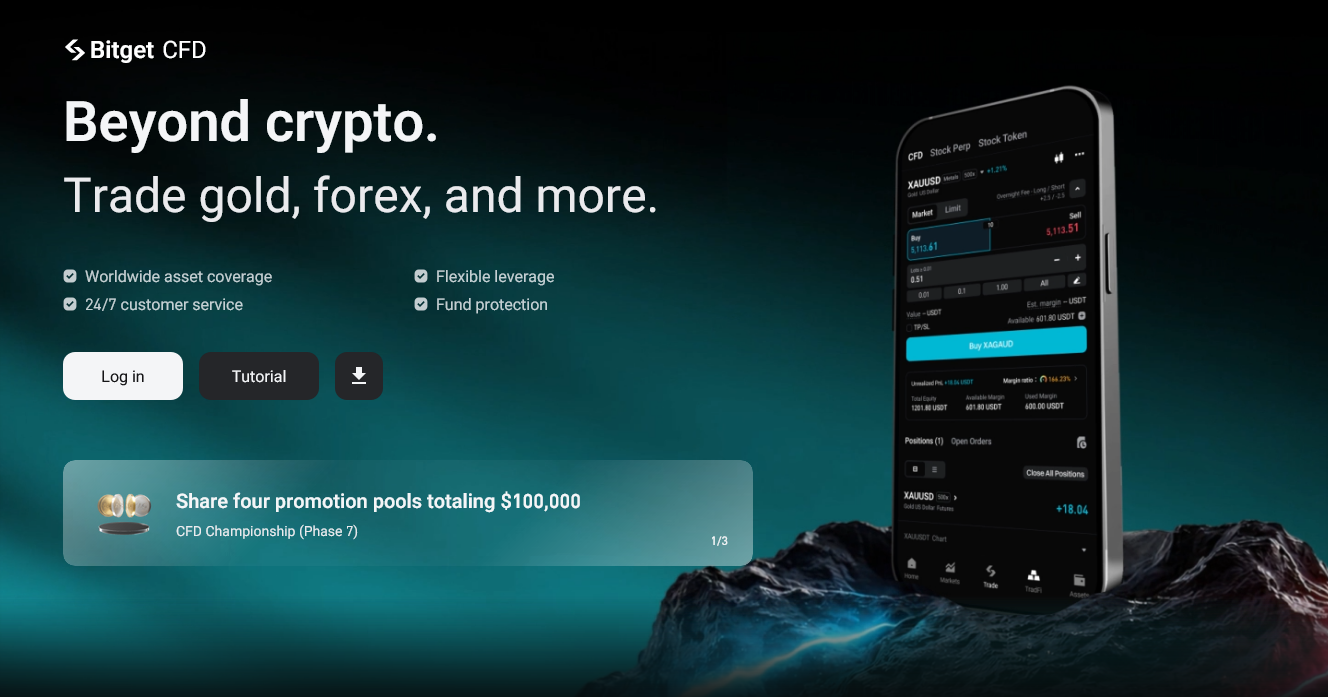
- CFDs (contracts for difference) track an underlying price — gold (XAUUSD), forex pairs, indices, or commodities — without you holding the asset itself. These are also leveraged products.
Here’s the key thing to understand across all of them: trading a stock token, perpetual, or CFD on Bitget gives you exposure to a price movement, not ownership of the underlying share.
You generally don’t get voting rights or a direct shareholder relationship through these products.
The exception is Bitget Stock+, where eligible users may be able to buy, sell, and hold real U.S. stocks and potentially receive dividends and voting rights — but that’s subject to actual shareholding, product rules, and regional eligibility, so check what applies to you before assuming it’s the same as the token or derivative products.
Gold on Bitget is typically traded as a CFD on XAUUSD, meaning you’re trading the price of gold, not taking delivery of the metal.
What You Need Before You Start
To trade any of these products, you’ll need:
- A Bitget account
- Completed KYC (identity verification)
- A USDT balance in your account
Once those three boxes are checked, you’re ready to fund and trade.
Step 1: Fund Your Account With USDT
Deposit USDT directly, or convert existing crypto holdings into USDT from within your Bitget wallet. Since Bitget’s multi-asset products settle in USDT, this stablecoin balance is what powers every trade that follows — you won’t need to convert to fiat at any point.
Step 2: Open the TradFi / Stock or Gold Market
Bitget’s traditional-market products — tokenized stocks, stock perps, CFDs, and gold — sit under what the exchange launched as “Bitget TradFi” in January 2026. From your Bitget account, navigate to this section to browse available stock and gold markets. Because in-app navigation can shift over time, it’s worth checking Bitget’s Help Center for the current menu path rather than relying on an older screenshot or guide.
Step 3: Choose the Product Type
For stocks, decide whether you want a stock token, a stock perp, or a CFD — each carries a different risk and ownership profile, as covered above. For gold, you’ll typically be selecting the XAUUSD CFD, since that’s the standard way gold is offered on the platform.
If you’re specifically interested in direct-ish exposure with potential dividend and voting rights, look for Bitget Stock+ rather than the token, perp, or CFD versions, and confirm your eligibility first.
Step 4: Place the Trade
Once you’ve picked your product, set your position size, choose leverage if the product supports it, pick your direction (long or short, where applicable), and confirm the trade. Leverage is optional on many products but is inherent to perps and CFDs — read the interface carefully so you understand exactly what multiplier you’re applying before you confirm.
Step 5: Manage or Close the Position
After your trade is open, you can monitor it from your positions dashboard. Closing a position realizes your gain or loss. For leveraged products — perps and CFDs — keep an eye on your margin and liquidation price, since a large enough adverse price move can close your position automatically and result in a loss beyond what a simple percentage move might suggest.
Fees, Leverage, and Risks
Every trade type comes with its own spread or fee structure, so check the current fee schedule for the specific product before trading. More importantly, understand what leverage actually does: it magnifies both gains and losses relative to your position size. A leveraged CFD or perp position can lose value faster — and by more — than the equivalent unleveraged move in the underlying asset. This isn’t unique to Bitget; it’s true of leveraged trading generally, and it’s worth taking seriously before you size a position.
Availability by Region
Not every product discussed here is available everywhere. Stock tokens, stock perps, CFDs, and features like IPO Prime or Bitget Stock+ can be restricted or entirely unavailable depending on your jurisdiction. Before you plan around a specific product, confirm what’s actually available to you through Bitget’s current terms and eligibility pages — availability isn’t universal, and it can change.
The Bottom Line
As a Universal Exchange, Bitget lets users trade gold (as XAUUSD) and tokenized stocks alongside crypto, settled in stablecoins, all from one account and one USDT balance — distinct from a regulated broker offering direct share ownership
That’s a genuinely convenient setup if you’re already living in a crypto-native workflow. Just be clear-eyed about what you’re actually holding: in most cases it’s price exposure through a token, perpetual, or CFD, not direct share ownership — and leverage, where it applies, cuts both ways. Confirm product availability in your region before you start, and treat this guide as a starting point rather than a substitute for reading Bitget’s own current terms.
FAQ
Can you trade stocks and gold on Bitget?
Yes. Stocks are available as tokenized stocks, stock perps, and CFDs, while gold is typically offered as the XAUUSD CFD. All of these are funded with USDT. It’s worth repeating: these are exposure products, not direct share ownership, with the exception of eligible Bitget Stock+ positions.
Do you need to convert to fiat to trade these products?
No. Positions are settled in USDT, so you can move directly from crypto into stock or gold exposure without ever touching a bank account or fiat currency.
Is trading stock tokens or CFDs the same as buying shares through a broker?
No. A traditional broker gives you direct ownership of the underlying share. Bitget’s stock tokens, perps, and CFDs track the share’s price through a token or contract rather than making you a registered shareholder — Bitget Stock+ is the exception, for eligible users in eligible regions.
Is gold trading on Bitget leveraged?
Gold is typically traded as a CFD, and CFDs can be leveraged. Understand your leverage and liquidation risk before opening a position.
Is this available in my country?
Availability varies by region and by product. Check Bitget’s current terms for your location before assuming access to any specific stock, gold, or IPO product.
What is Bitget TradFi?
It’s the umbrella name for Bitget’s traditional-market products — stocks, gold, and related instruments — launched in January 2026 as part of the exchange’s broader push to offer crypto, tokenized stocks, gold, ETFs, forex, and commodities from a single USDT-settled account.
What is a Universal Exchange (UEX)?
A Universal Exchange is Bitget’s term for a single account that lets users trade crypto, tokenized stocks, gold, and other assets together, settled in one balance rather than across separate brokerage and exchange accounts.
The post How to Trade Stocks and Gold With Crypto (USDT) on Bitget appeared first on Blockonomi.




 English (US) ·